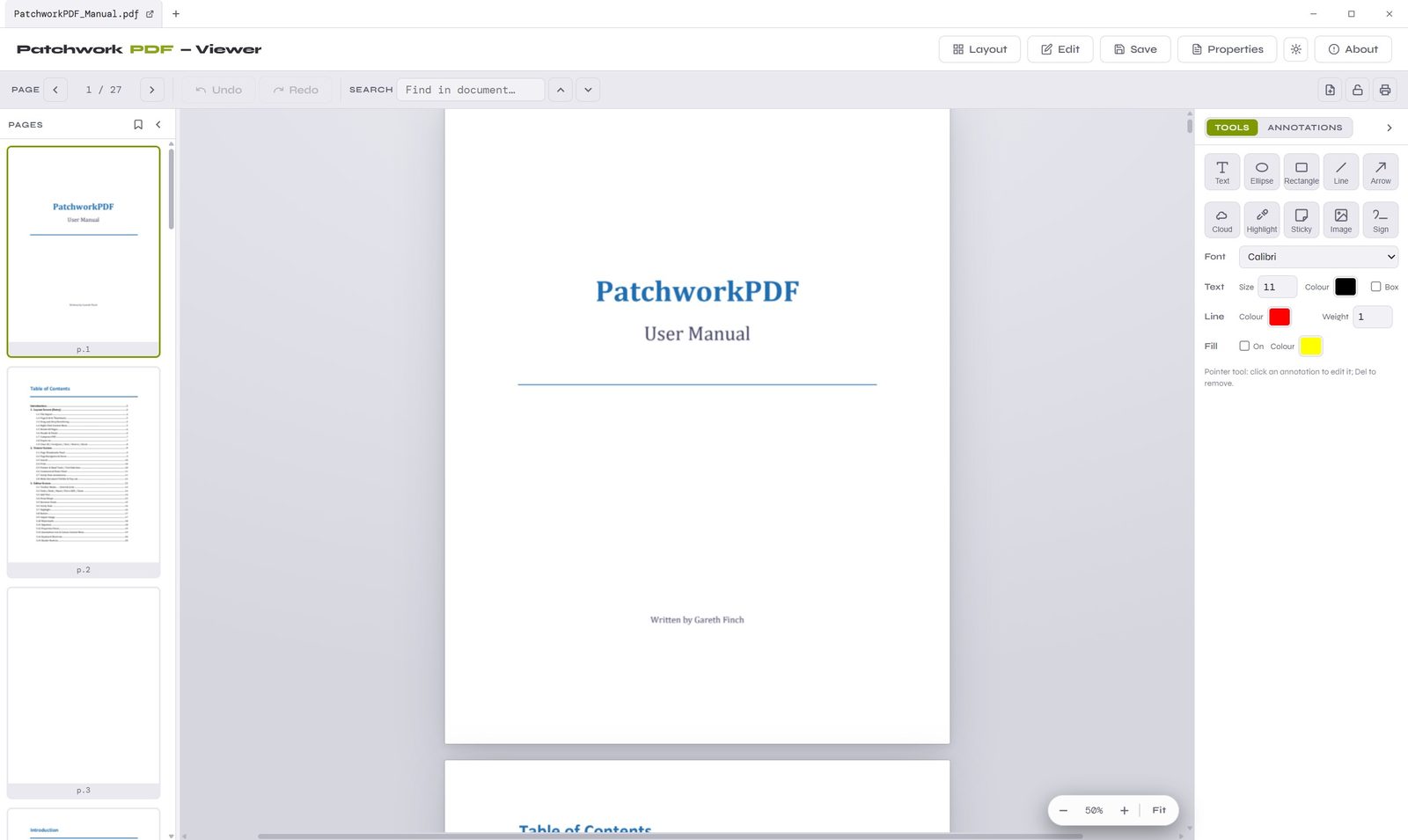
Merge, reorder, annotate, rotate, compress and rewrite the text on the page — a full-featured PDF editor with nothing to pay and nothing locked behind a plan.
Most PDF tools either charge a monthly fee or hand you a glorified viewer. PatchworkPDF gives you the real thing — proper page editing, layout control and native annotations — completely free and open source.
Features
From quick page shuffles to editing the text that's already on the page — it's all here, in one place.
Pull pages from any number of PDFs into one session, then drag and drop them into exactly the order you want before exporting a single clean file.
Open any page in the full editor to move, retype or delete the text that's already there — or layer on new text overlays with full font, size and colour control.
Sticky notes, highlights and shapes are written as real PDF annotations — fully visible and interactive in Acrobat, Foxit and every other modern reader.
Spin individual pages or the whole document by 90°, 180° or 270°. A sideways scan is straightened in seconds, and rotations are baked into the saved file.
Shrink bloated files with Screen, Balanced and Print presets — or dial in your own DPI and JPEG quality. Ideal for taming oversized Word and Excel exports.
Image-only pages are recognised automatically on open (with Tesseract installed), turning flat scans into text you can select, edit and reposition.
Stamp a logo, signature or any PNG/JPEG onto the page, then drag to resize and position it freely. The image is baked cleanly into the PDF on apply.
Save out through a native OS Save As dialog with sensible auto-suggested filenames, and a graceful fallback so it just works across browsers.
Arc-scalloped revision clouds, copy/paste of any element and full undo make markup and review passes fast — built with engineering drawings in mind.
A Closer Look
Lay out the whole file, dive into a single page, and read it back — without ever leaving the app.
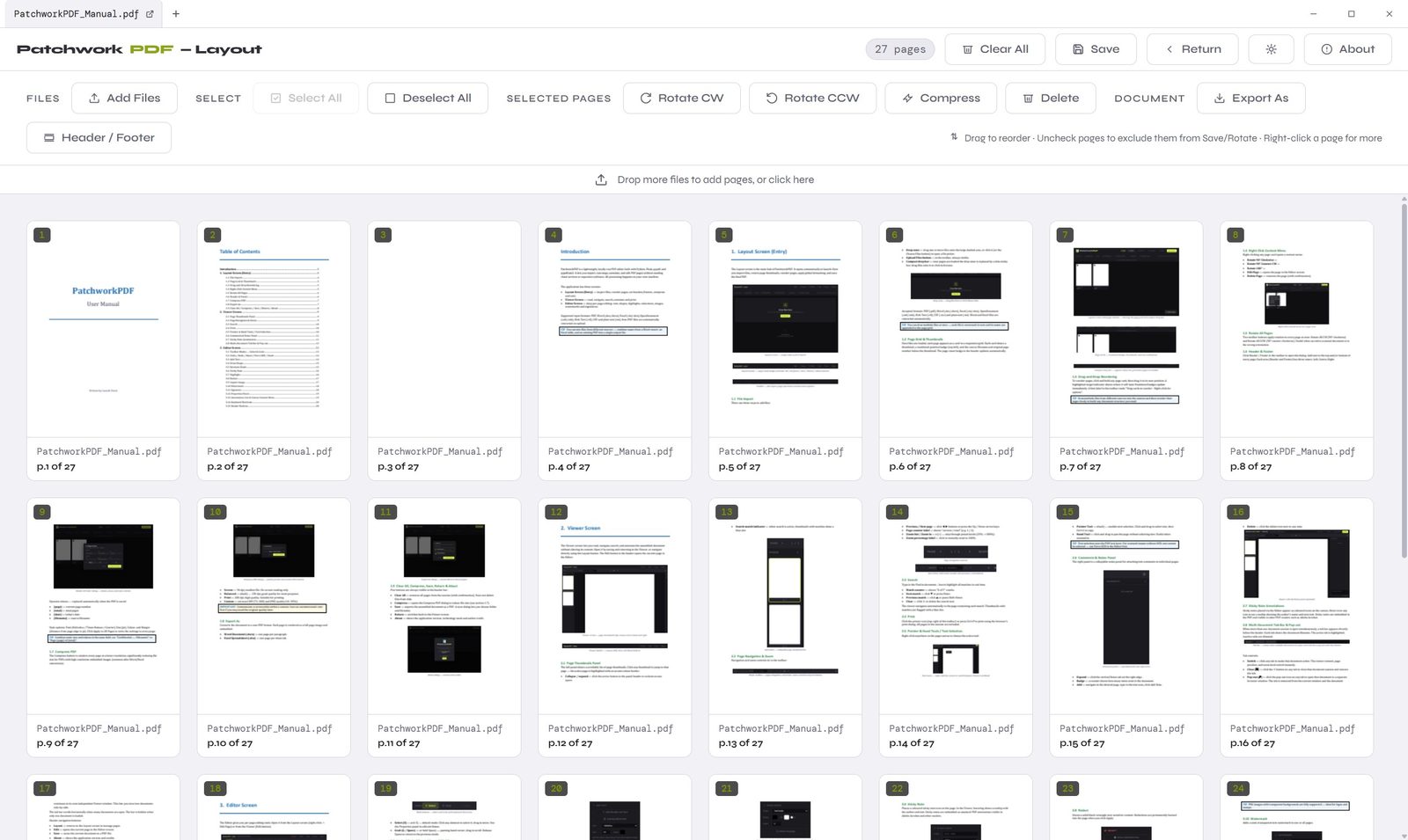
Layout
See every page as a card. Drag to reorder, rotate or delete, uncheck pages to leave them out, then compress and export the result — all from one organised grid.
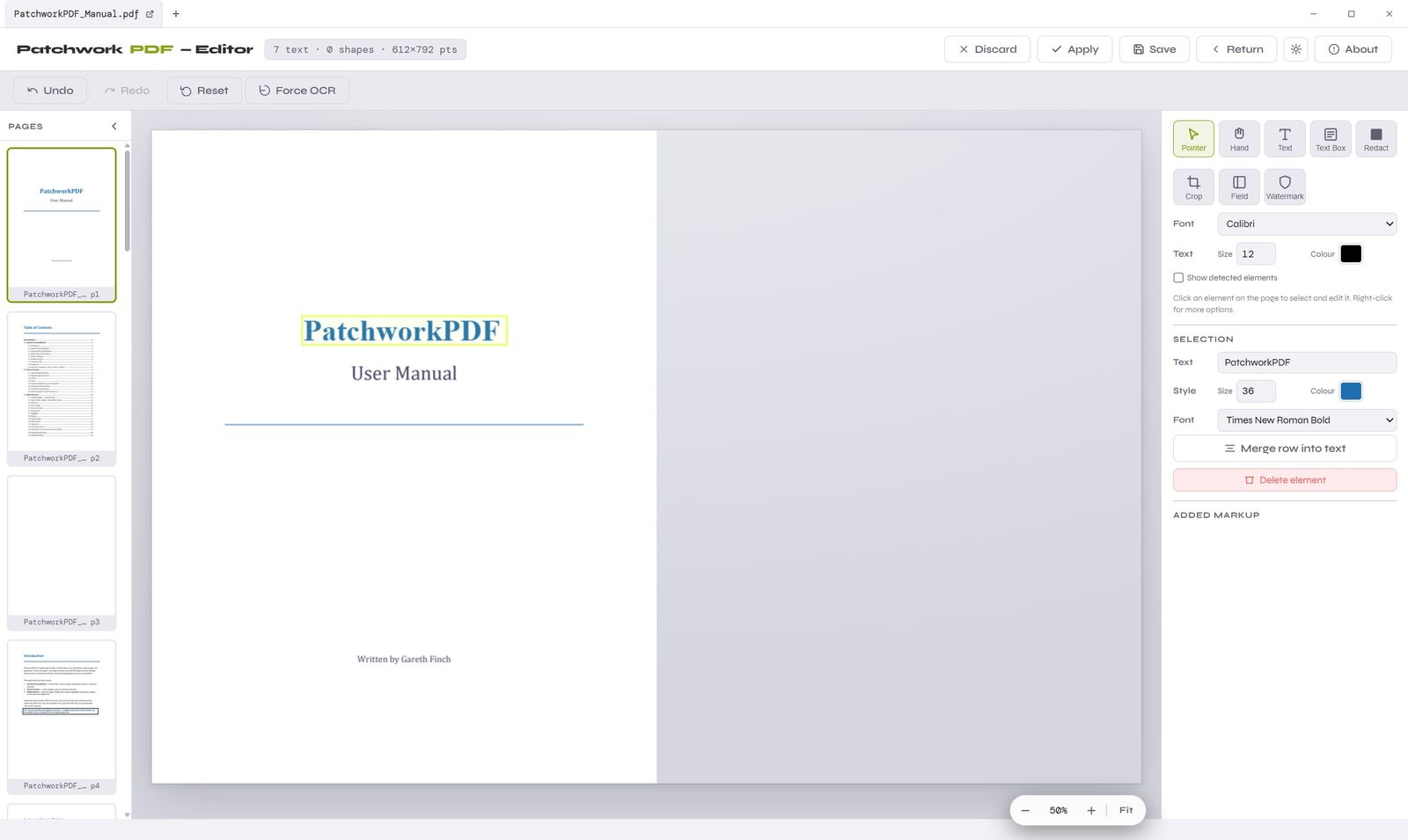
Editor
Click any element to select it, then change the text, size, colour or font in place — or add overlays, shapes, redactions and watermarks. This is real editing, not a comment layer.
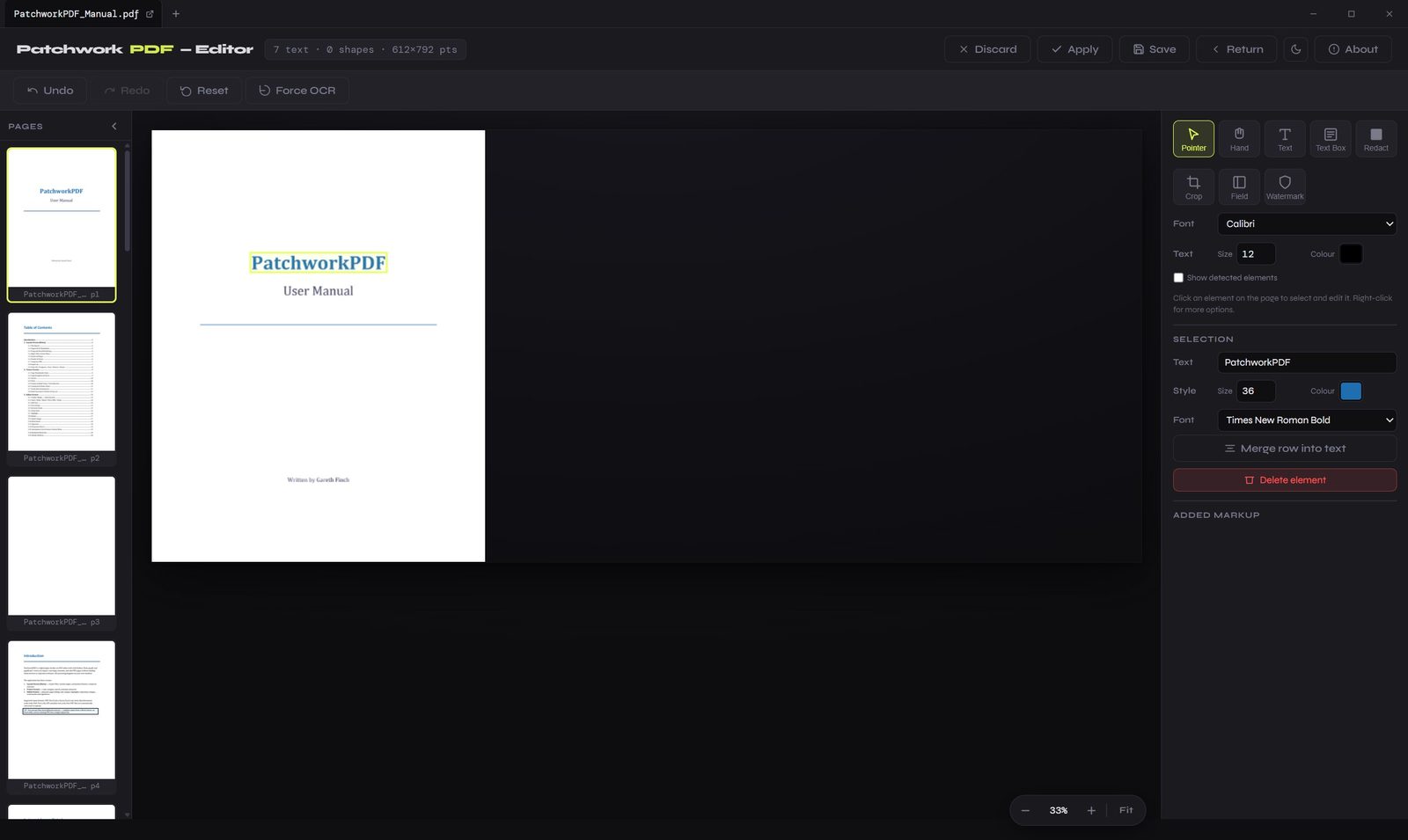
Flip the whole interface to a deep dark theme with a single click — the same full editor, easy on the eyes for long sessions and late nights. Your preference is remembered next time you open a file.
Full Capability List
A complete rundown of what's inside, from the page workspace to the editor's deeper tools.
PatchworkPDF is free to use and open source — the full source is out in the open for anyone to read, audit, fork or improve. No subscription, no licence key, no upsell.
Built on open-source foundations